If you use WeChat, you have probably noticed that everyone seems to share a little square barcode thingy. That is your QR Code of WeChat and honestly, it is one of the most useful features in the entire app. Instead of typing out long usernames or giving your phone number to strangers, you just show them your code. They scan it. Done. You are now friends.
But a lot of people still do not know where to find their own code, how to scan someone else’s, or what else these codes can do besides adding friends. So let me break it all down in plain English.
What Is a WeChat QR Code
Every single WeChat account gets its own unique QR code automatically. You do not have to create it or set it up. The app makes it for you the moment you sign up. Think of it like your digital name tag. When someone scans it, they can instantly add you as a friend, send you money, follow your business page, or join your group chat. It is way faster than swapping phone numbers, and honestly, it feels safer too because you do not have to give out your actual number.
How to Find Your Own QR Code

This is the part that trips people up. Your QR code is not sitting out in the open. You have to dig for it a little. Open WeChat and tap the Me tab at the bottom right. At the very top of that screen, you will see your profile picture and name. Tap on that area. Now look for an option that says My QR Code. Tap it, and there it is. That weird-looking square pattern is your ticket to making new friends.
From that screen, you can save the image to your phone so you can post it on social media or send it through other apps. You can also share it directly through WeChat. There is even a button to change the style of your QR code if you want it to look a little more colorful or personal instead of the boring black-and-white default.
How to Scan Someone Else’s Code
There are two super easy ways to do this. The first way is to open WeChat, tap the little plus sign in the top right corner, and hit Scan. Point your camera at their QR code and WeChat will instantly recognize it. A profile will pop up and you just tap Add.
The second way is through the Discover tab at the bottom. Tap Discover, then tap Scan, and do the same thing. Both methods work exactly the same, so just use whichever one feels more natural to you.
What if someone sent you their QR code as a photo in a chat message? No problem. Just hold your finger down on that image for a second or two. A menu will pop up with a scan option. Tap it and WeChat will read the code straight from the picture. You do not need to download anything extra or use a separate scanner app.
Adding Friends Without Sharing Phone Numbers
This is honestly the best part. On WhatsApp, you usually need someone’s phone number to message them. On WeChat, you do not. You can add people purely through their QR code. That means if you meet someone at a party, a conference, or while traveling, you can become WeChat friends in two seconds without either of you giving away personal contact info. It is clean, quick, and private.
Group Chat QR Codes
WeChat also lets you invite people to group chats using a QR code. Here is how it works. Open the group chat, tap the little people icon at the top right to open the group settings, then look for Group QR Code. The app will generate a code specifically for that group.
But here is the catch. Group QR codes only last for seven days. After that, they expire and you will need to make a new one. Also, if your group already has more than 100 people, the QR code option disappears and you will have to add new members manually. So this feature really only works for smaller groups.
Payments and Business Stuff
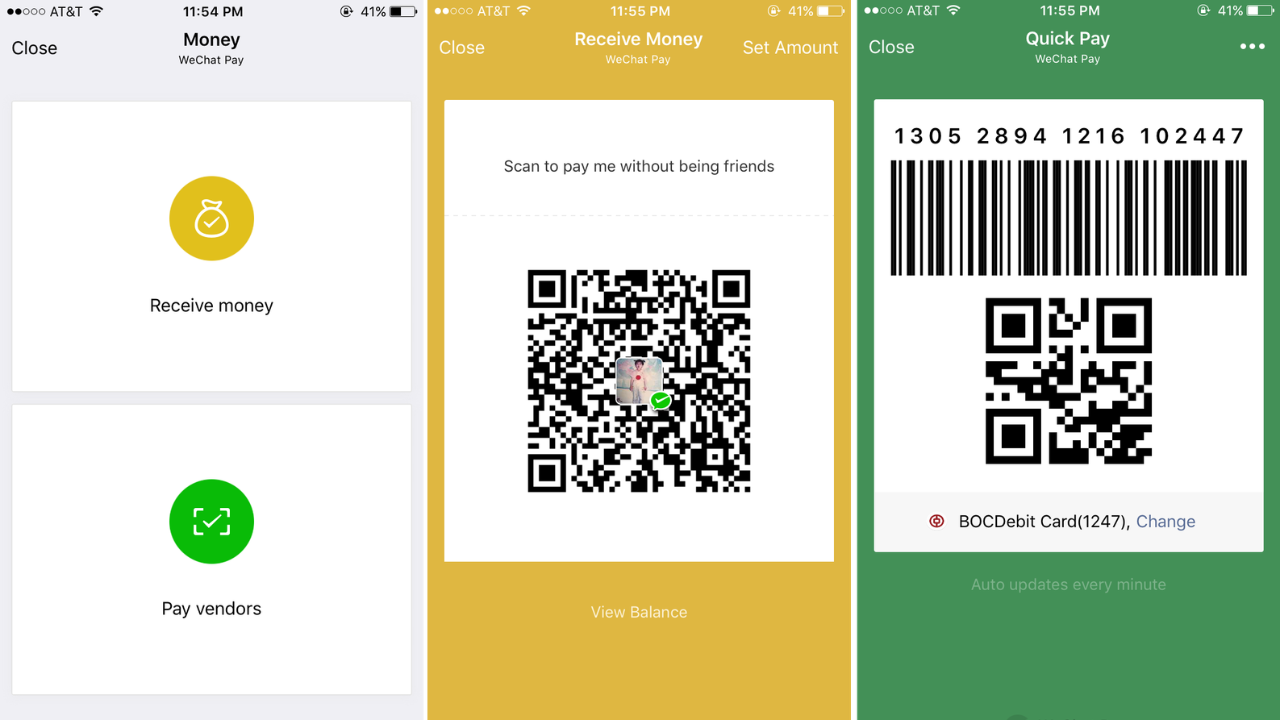
In China, WeChat QR codes are absolutely everywhere. Restaurants, street vendors, taxi drivers, and even beggars use them. You can pay for your meal by scanning the merchant’s QR code, or they can scan yours to charge you. It is all tied to WeChat Pay, which is built right into the app.
Businesses also use QR codes to grow their following. If you see a poster for a brand or a restaurant, they will often have a QR code printed on it. Scan it and you instantly follow their official WeChat account. You might get discounts, updates, or special offers sent straight to your phone. Some businesses even use QR codes to launch mini programs, which are like tiny apps that live inside WeChat. You scan the code and the mini program opens instantly. No downloading from an app store required.
Do These Codes Expire
Your personal QR code does not expire. It stays attached to your account forever. However, WeChat does refresh personal QR codes from time to time for security reasons. So if you printed your QR code on a business card a year ago, it might not work anymore. It is a good idea to check it every now and then if you are using it for professional stuff.
Group codes, as I mentioned, expire after seven days. Promotional codes from businesses might also have expiration dates depending on what the company set up.
Is It Safe
Generally, yes. Since you are scanning through the official WeChat app, the built-in scanner gives you a preview of what you are about to open. If something looks shady, you can just back out. Still, use common sense. Do not scan random codes stuck on walls or sent by strangers who seem suspicious. If a code promises free money or something too good to be true, it probably is.
Final Word
The QR code of WeChat is honestly one of those features that seems small but changes how you use the app completely. It makes meeting people easier, paying for things faster, and joining groups less of a hassle. Once you get used to it, you will wonder why other messaging apps make adding friends so complicated. So go find your code, save it to your phone, and start sharing it. Just maybe do not post it publicly unless you want random people adding you.
Read More: